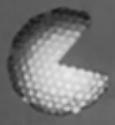
Banana Theme - Checked out your meka.thm file? You should, there is a theme that is disabled in there called Banana. It's located under the Monochrome theme, to enable it, remove the ";" from in front of the name [Banana]. Try it out! You'll see why it's called Banana, trust me! ;O)

Incidentally, there are MANY more themes not enabled that are listed, although you can only enable a certain amount of them in Meka due to the list constraints. If you enable a few, just disable some others.


-BrAin waSH- - Pull down the Help menu, hold B on your keyboard, and click on About! -BrAin waSH- will load, it's an addicting game! Arrow Keys to move, Space Bar to clear objects! Kudos to Meka again! (Yes, I finally found a real one.) ^_^ **NOTE: Close the About box if you're having troubles using the Space Bar.**

Fullscreen Eggs - You can get all the Egg games to play in fullscreen by pressing escape or by simply choosing fullscreen mode in the GUI, and I must say, fullscreen Pong is fun! ;O)

PONG - (w/o game loaded) Hold down the P button on your keyboard and the go to input and click on Paddles. Pong will start up. W and S are P1 controls and Up and Down are P2 controls.

Snail Game - Turn the power on (without a game loaded) and hold buttons 1 & 2 and press up.

Buggy Tetris - Press CTRL + T for a buggy tetris version.

Break Out Clone - Pull down the tools menu then click on tech info, look around in there and click on on the 00 in the number 1800.

NES Message - In the meka.cfg file, at the bottom it says "nes_sucks = 1". Change the 1 to zero and get a nice message.

Another little "NES" trick - In the emu, press CTRL + N. Apparently this is a little extra added for people trying to find the elusive NES emulation. :O)


BTW: There is NO nes emulation in Meka!